
Locus Notes — Your quiet place to think
Blocks, backlinks, and beautiful pages — with every word stored on your Mac, not on someone’s server.
The blocks
Everything you need, one block at a time
Write in blocks
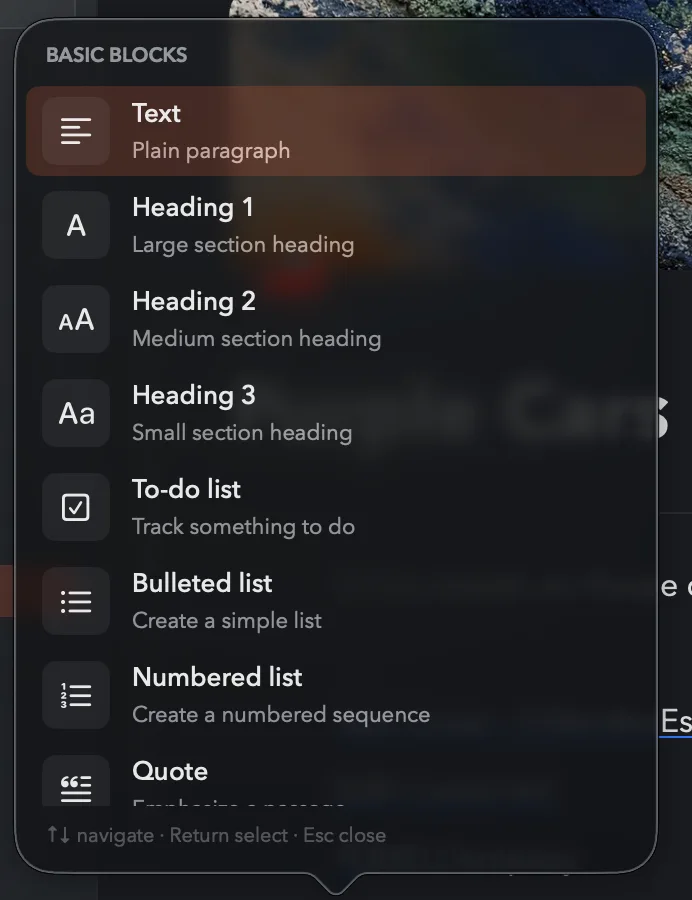
Headings, to-dos, bullets, toggles, tables, callouts, quotes, code. Type “/” and the page takes whatever shape your thinking needs — at the speed of a native app.
Themes
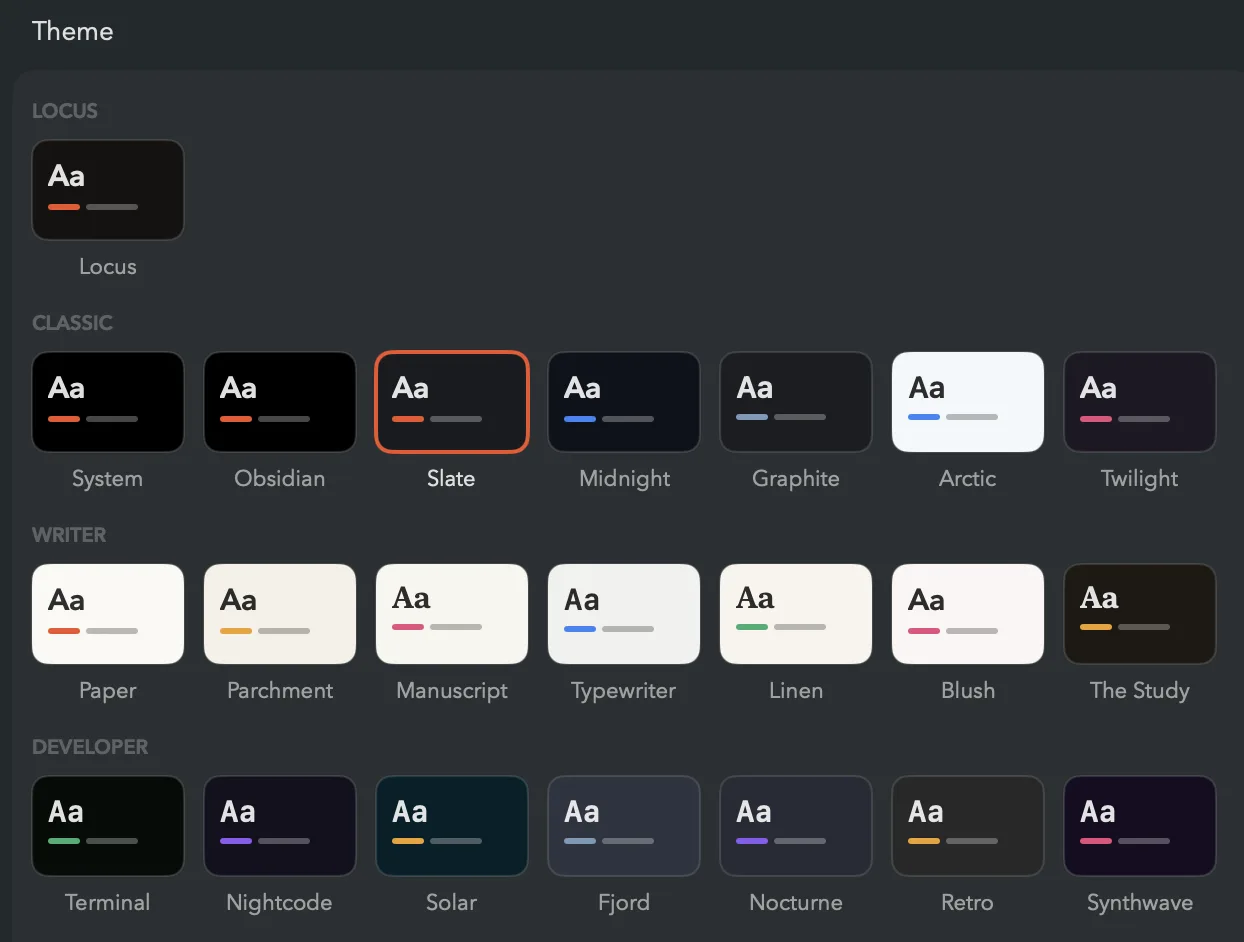
Twenty-two themes, each with its own canvas, typeface, accent, and code colors — from the warm Hearth default to Arctic mornings and Synthwave nights. Covers and icons give every page a face.
Find everything again
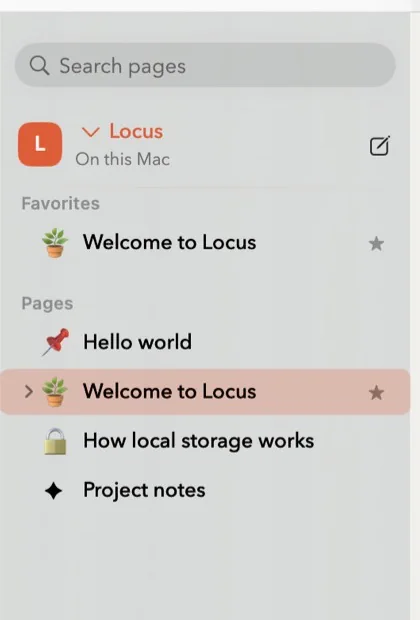
Backlinks show every page that mentions this one — with the sentence around the mention. Search all pages from the sidebar, jump anywhere with the quick switcher, and find & replace within a page.
Your data
Yours to keep. Impossible to lose.
The way in, the way back, and the way out — all first-class.
Bring your notes with you
Import a Notion export ZIP, an Obsidian vault, or Apple Notes straight from Settings. Pages keep their hierarchy, images come along, and links between pages arrive as live page links — everything under one page you can review, or undo.
from Notion export.zip → pages, subpages, images
from Obsidian vault → [[wikilinks]] stay linked
from Apple Notes → folders and formatting
→ one page, ready to review
Versioning
Up to 60 version snapshots per page, a daily backup of the whole workspace, and thirty days of grace for anything you delete. Undo reaches across everything you do.
Export
Export any page as Markdown, HTML, or PDF — or the whole workspace at once. Import a folder of Markdown and it becomes pages. A tool you can walk away from is a tool you can trust.
The details
Small things that matter
Command palette
Every action one ⌘K away; jump to any page with ⌘P.
Quick capture
Jot from the menu bar anytime — it lands in your inbox page.
Markdown shorthand
**bold**, ## headings, - lists — they become real as you type.
Focus mode
⌘. hides everything but the page you’re thinking in.
Tables
Real rows and columns that grow exactly where you ask.
Images
Drop them in, resize by hand, click for a full-screen look.
Code blocks
Highlighting in 18 languages, colored to match your theme.
Workspaces
Separate rooms for separate lives — work, home, the novel.
Templates
Turn any page into a starting point you can reuse.
Sweep selection
Lasso, ⇧-click, and drag whole ideas around as blocks.
Your trail
⌘[ walks back through pages; breadcrumbs show where you are.
Quiet numbers
Word count and reading time sit in the footer, never in the way.
Linked mentions
Every page shows what points at it — @-mentions become a web.
Toggle headings
Headings that fold their whole section away until you need it.
Typewriter mode
In Focus Mode, the line you’re writing stays centered under your eyes.
Bring your notes
Import a Notion export, an Obsidian vault, or Apple Notes — links intact.
From the maker
Why Locus exists
The tools we think in have quietly become places we’re watched. Notes apps grew accounts, then sync, then features reading everything you write — and somewhere along the way, opening your own notebook started feeling like opening a tab.
Locus is a bet in the other direction: that a notes app can be as pleasant as the polished cloud tools — the blocks, the covers, the delight — while remaining what a notebook has always been. Paper. Yours. Private by construction, not by policy.
It’s a small, warm room on your Mac. Come think in it.
— the maker of Locus
Questions
FAQs
Where does my writing actually live?
In plain files on this Mac, inside your own user Library folder, with images stored alongside them. Locus also writes a daily backup and keeps per-page version snapshots next to your workspace. Nothing is uploaded, and you can copy the whole folder to a drive whenever you like.
Does Locus sync, or send anything anywhere?
No. Locus contains no account system and no sync service — your work never leaves this Mac unless you export it yourself. Standard tools like Time Machine protect it the same way they protect everything else you own.
Can I get my writing out — or in?
Always. Export any page as Markdown, HTML, or PDF, or export the whole workspace at once — including a folder of your assets. Import is just as serious: bring a Notion export ZIP, an Obsidian vault, or your Apple Notes, and pages, images, and the links between them arrive intact.
What happens after I download?
You get a zip. Unarchive it, drag Locus to your Applications folder, and open it. The app is notarized by Apple, so macOS simply asks you to confirm the first time. There is no installer, no account, and no first-run setup.
What Mac do I need?
macOS 14 Sonoma or later. Locus is a native Swift app — it launches fast, scrolls smoothly, and respects your machine.
Is there an iPhone or Windows version?
Not today. Locus is deliberately Mac-first — built with native macOS text machinery rather than a cross-platform shell, because the writing feel is the whole point.

Start thinking somewhere quiet
Locus is in active development, sharpened daily on real writing.